
Silk Mobile
Table of Contents (Homepage)
- Overview
- Setting Up
- Getting Started
- How To
- Connecting Devices And Emulators
- Preparing Applications For Testing
- Managing Applications
- Recording Tests
- Working With Test Commands
- Adding Commands To Your Scripts
- Object Commands
- Click
- ClickCoordinate
- ClickIn
- ClickOffset
- Drag
- ElementGetProperty
- ElementGetTableRowsCount
- ElementListPick
- ElementListSelect
- ElementListVisible
- ElementScrollToTableRow
- ElementSendText
- ElementSetProperty
- ElementSwipe
- ElementSwipeWhileNotFound
- GetAllValues
- GetElementCount
- GetElementCountIn
- GetTextIn
- IsElementBlank
- IsElementFound
- IsFoundIn
- LongClick
- RunNativeAPICall
- SendWhileNotFound
- VerifyElementFound
- VerifyElementNotFound
- VerifyIn
- WaitForElement
- WaitForElementToVanish
- GetCoordinateColor
- DragDrop
- Application Commands
- Device Commands
- Web (Hybrid) Specific Commands
- Utilities Commands
- Monitoring Commands
- Configuration Commands
- ExtractLanguageFiles
- SetDefaultClickDownTime
- SetDefaultTimeOut
- SetDefaultWebView
- SetDragStartDelay
- SetInKeyDelay
- SetKeyToKeyDelay
- SetLanguage
- SetLanguagePropertiesFile
- SetShowImageInReport
- SetShowPassImageInReport
- SetShowReport
- SetSpeed
- SetThrowExceptionOnFail
- SetWebAutoScroll
- StartStepsGroup
- StopStepsGroup
- TextFilter
- Miscellaneous Commands
- Controlling Element Identification Rules
- Editing Test Objects
- Executing Test Scripts
- Report Of Executed Test
- Working From Code Environment
- Continuous Integration
- Layout Verification Tests
- Use Device Vitals Monitors
- Troubleshooting
- Terminology
Overloading Element To The Object Repository
Since Image recognition requires pixel to pixel match, it will fail if need to use it with different devices with different resolution.
To prevent it if image recognition is still required, there is the possibility to overload Elements to the Object Repository. Meaning adding more than one image to an existing object, So while try to identify the element, it will use all the images it contains on the object repository.
Example
In this example, we will use an iPad and an iPhone and We would want to run the same script on both.
Step 1: Launch EriBank.
Step 2: Navigate to the 'Make Payment' page.
Step 3: Click in the amount textbox. Note that the keypads differs from each one and so is the delete symbol.
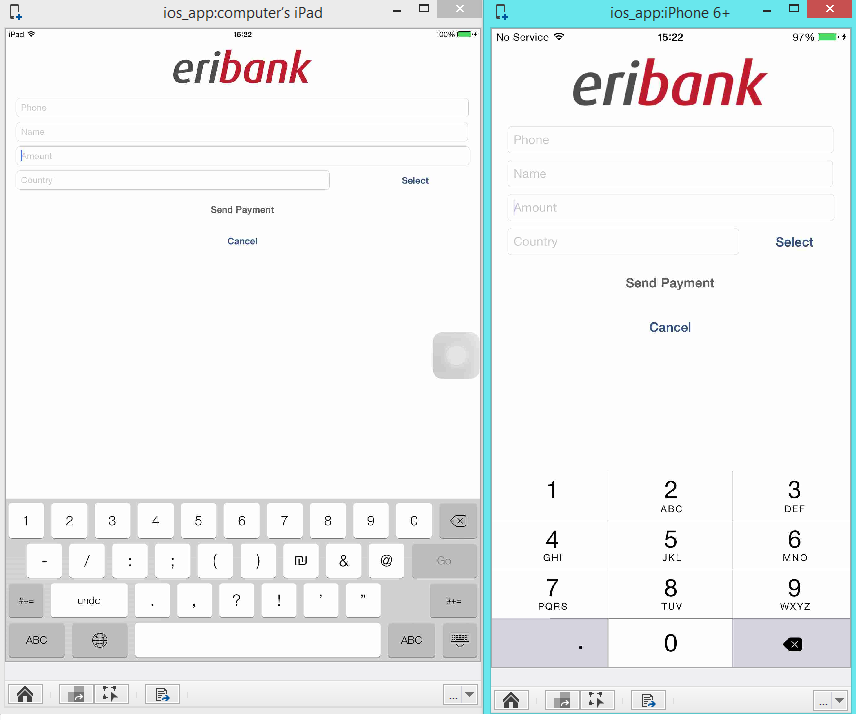
Step 4: Type value on the amount text field.
Step 5: We will use the delete button on the keypad to erase the input on the amount text field.
Step 6: To add the delete button to the object spy
-
use the object spy
-
click on the delete symbol
-
extract object
-
create a new object
We will create an object by the name ‘Del’.
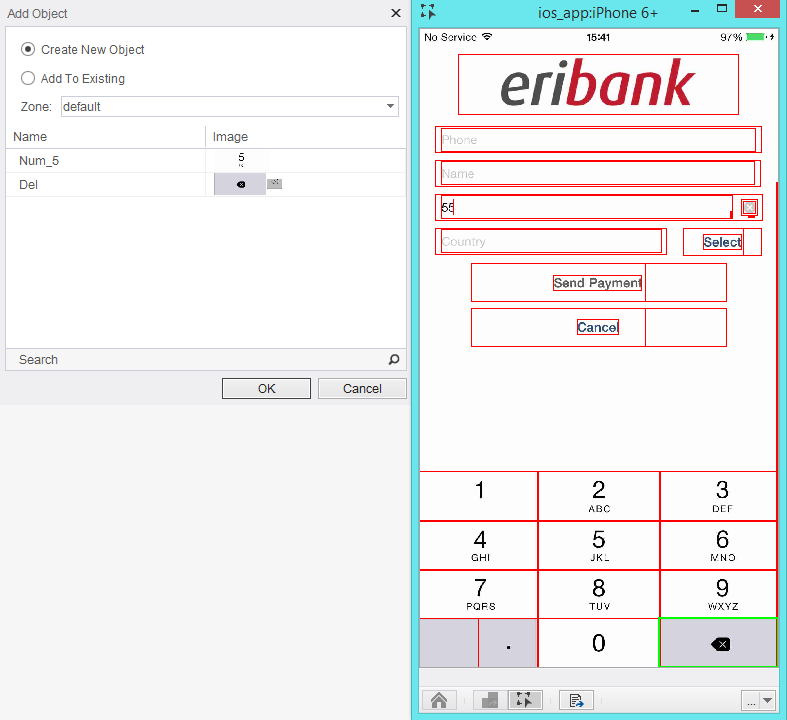
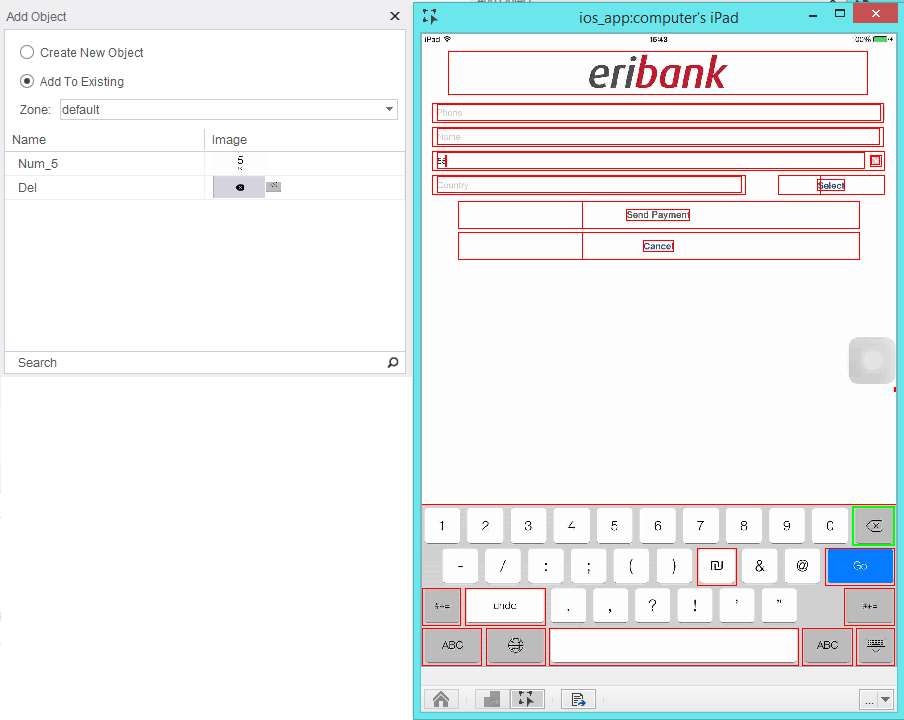
Step 7: Repeat steps 1-6 on the iPad device. While extracting the object we will use the option of Add to existing to object ‘Del’.
Step 8: Now Object repository contains both images.
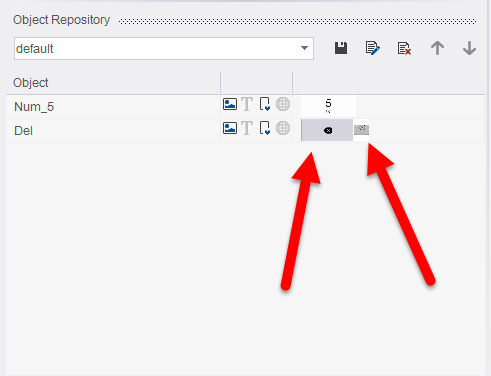
Step 9: Image recognition method will work on the Delete button regardless if it is this iPhone or iPad.